Refraction
Captures the background through GrabPass and bends it using the mesh shape and normal map. Nearly see-through head-on, curving like a lens toward angled edges.
Ice · Deep Frost · Rime Shader
From refraction and thickness-based color absorption to frost and sparkle — a VRChat avatar ice shader that captures the depth and clarity of a solid block of ice, all in a single mesh.
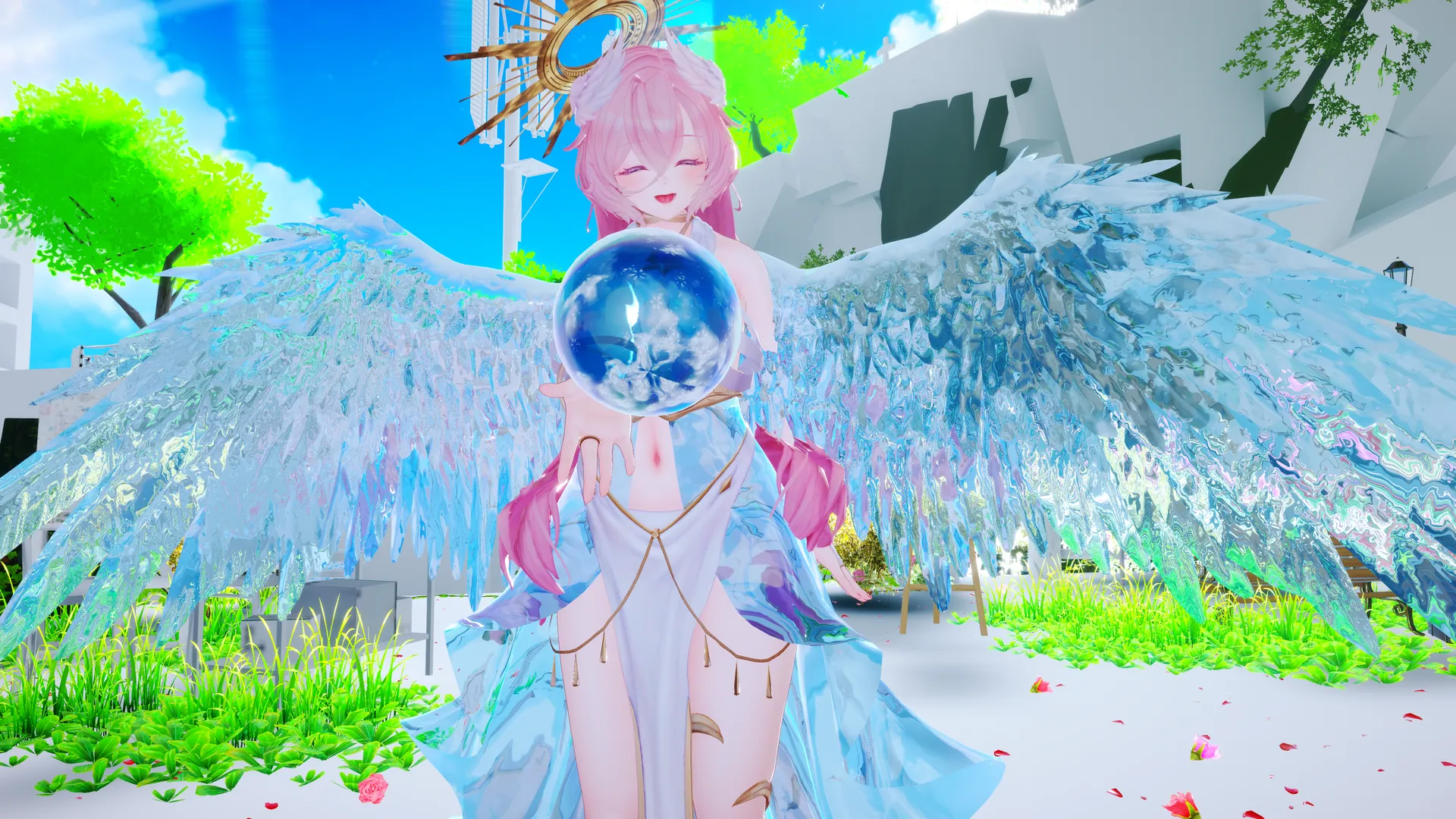
Built on GrabPass refraction, with color absorption, dispersion, frost, sparkle, and dissolve layered on top — everything you need for a convincing look of ice.
Captures the background through GrabPass and bends it using the mesh shape and normal map. Nearly see-through head-on, curving like a lens toward angled edges.
Renders a faint inner wall of ice, seen warped through the front-face refraction for added depth. Light bends twice — entering and exiting — just like real glass.
Fades exponentially toward Deep Color based on thickness approximated from the view angle (a Beer-Lambert approximation). Thin areas stay colorless and clear, while edges and thick sections sink into the deep color.
Blends in faint rainbow prism colors based on view angle and surface noise. The more angled the surface, the stronger the prism effect.
An icy sheen picked up from reflection probes. A glowing rim light traces the edges of the ice, making them stand out.
Picks up volumetric lighting in worlds with REDSIM/VRCLightVolumes installed. Falls back gracefully to a normal look in unsupported worlds.
Combines a texture mask with procedural noise to create a snow-like cloudiness, grain, and matte response to light.
Animating Freeze Amount spreads frost outward from the edges and dense crystal areas until the whole surface freezes over.
Melt Amount thaws frost starting from the edges and thin areas, revealing a pseudo water-film sheen, normal detail, and refraction on the exposed ice. The mirror image of freeze-over.
Deepens frost on upward-facing surfaces, as if snow had settled there. Adds a freshly-fallen-snow look to the tops of accessories and hair.
Round points of light flare only when your view and a light line up, twinkling like powdery snow or frost. A faint rainbow tint gives the sparkle a dreamlike shimmer.
Offsets the refraction distortion per RGB channel to produce prism-like color separation.
Simulates the soft glow of backlight passing through the ice (a wrap-lighting approximation).
A wide crystalline freeze front and a lit ice fracture cross-section lead the way, followed by a thin blue-white glowing core, before the surface chips away and vanishes — built for dissolve animations.
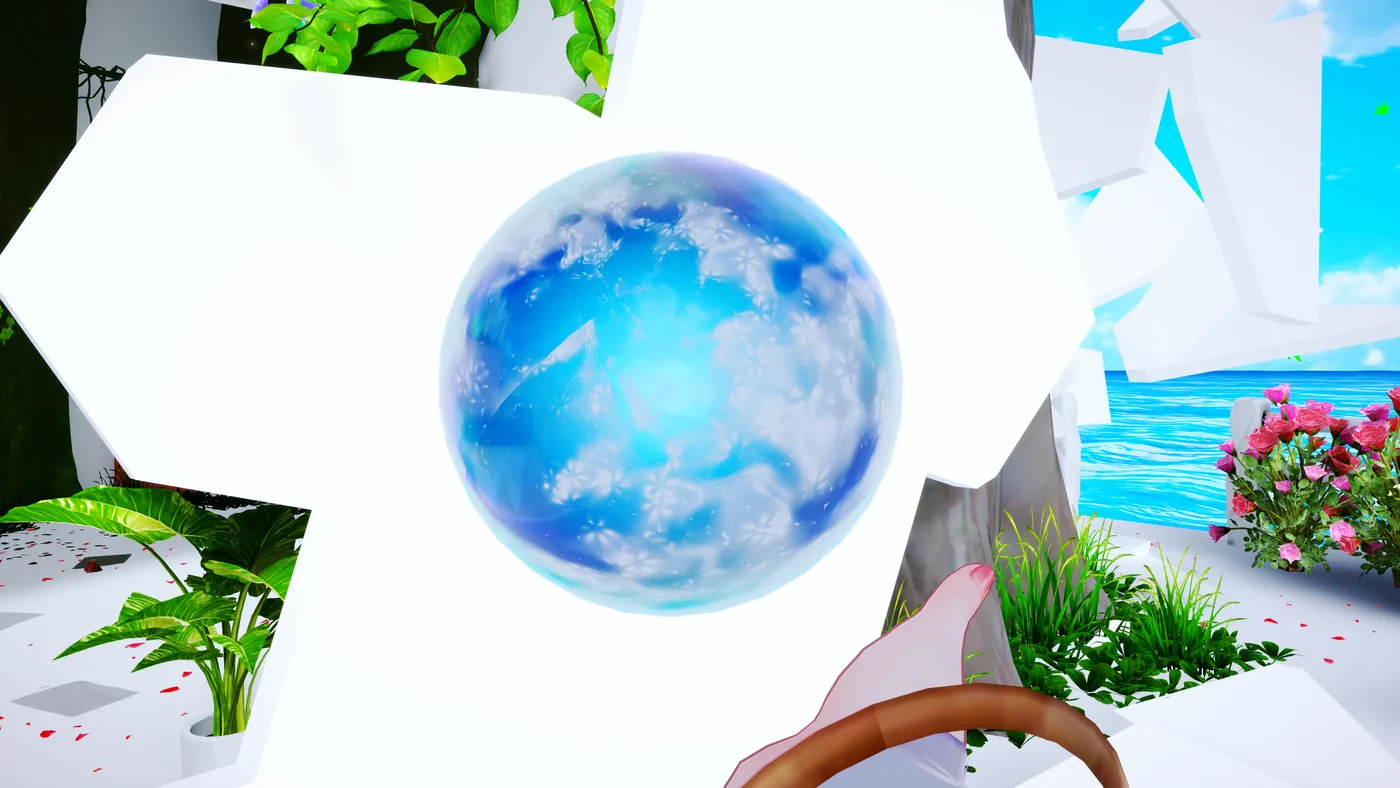
Get it running in four steps, in a Unity project with the VRChat Avatar SDK already installed.
Import DeepFrostIce.shader into a Unity project with the VRChat Avatar SDK installed.
Create a new material and set its shader to Nunifuchisaka/DeepFrostIceShader.
Assign the material to the target mesh (an accessory, for example).
We recommend checking the look on a primitive shape, such as a sphere, first.
The full property list from the material Inspector. Click a group to expand it. See the notes at the end of each group for guideline values and behavior.
| Property | Description |
|---|---|
| Ice Tint | Tint applied to the see-through background |
| Deep Color | Deep color used for edges and thick areas |
| Transmission | How much light passes through (0 = leans opaque, 1 = highly transparent) |
| Refraction Strength | Amount of background distortion. Bends more strongly toward angled edges (driven by mesh shape + normal map) |
| Absorption Density (thickness) | Strength of the exponential falloff toward Deep Color, based on thickness approximated from the view angle (a Beer-Lambert approximation). 0 disables it; higher values sink thicker areas (edges) into Deep Color faster |
| Property | Description |
|---|---|
| Normal Map / Normal Strength | Surface bumpiness. Also affects refraction distortion |
| Smoothness | Sharpness of reflections |
| Reflection Intensity | Strength of environment reflections |
| Specular Intensity | Strength of the light's specular highlight |
| Dark Reflection Threshold | Below this ambient brightness, environment reflections, rim, and sheen are dimmed |
| Dark Reflection Fade | How smoothly reflections return as brightness increases. Higher values return more gradually |
| Property | Description |
|---|---|
| Backface Intensity | How strongly the interior (backface) of the ice is rendered. 0 disables backface rendering; higher values make the inner wall's color, frost, and highlights show through more clearly |
The backface refracts the background captured by its own dedicated GrabPass according to Refraction Strength / Chromatic Aberration, then layers the inner wall on top — the result is then seen warped again through the front face's refraction and chromatic aberration (light bends twice: once entering, once exiting). The inner wall's color follows Deep Color for bare ice and Frost Color where frost has formed.
| Property | Description |
|---|---|
| Use VRC Light Volumes | Whether to use indirect light and sheen from VRC Light Volumes. Treated as disabled in unsupported worlds |
| Light Volumes Diffuse Intensity | Strength of the volumetric light's diffuse component |
| Light Volumes Specular Intensity | Strength of the volumetric light's specular component |
To use this in a world that supports VRC Light Volumes, the world itself needs REDSIM/VRCLightVolumes installed. A reference copy of LightVolumes.cginc is bundled so the shader doesn't throw material errors in the avatar-side project. The bundled file is MIT-licensed code from REDSIM/VRCLightVolumes.
| Property | Description |
|---|---|
| Fresnel Color / Power / Intensity | A glowing rim along the edges. Higher Power confines it more tightly to the edge |
| Property | Description |
|---|---|
| Frost Mask (R) | Frost mask (white = frost). A black texture means no frost |
| Frost Color | Base color of the frost |
| Frost Coverage | Spread of procedural frost generated without a texture. 0 disables it |
| Frost Intensity | Overall strength of the frost |
| Frost Grain Scale | Fineness of the frost's larger grain noise |
| Frost Crystal Scale | Fineness of the frost's fine powdery crystal grain |
| Frost Edge Bias | How strongly frost is drawn toward the Fresnel edge. Lower values let it spread more readily along the edge |
| Frost Normal Strength | Strength of the fine bumpiness added by frost |
| Frost Roughness | How much frost suppresses reflection and sheen. 1 gives a snow-like matte look |
| Frost Light Volumes Intensity | How strongly VRC Light Volumes lighting shows on the frost |
| Freeze Amount | Progress of the freeze-over. 0 keeps the normal frost settings; 1 covers the whole surface in frost |
| Freeze Edge Width | Softness of the freeze-over boundary. Higher values spread the freeze gradually over a wider area |
Raising Frost Coverage adds noise-based frost even without a mask texture. When using Frost Mask (R), it guarantees frost on the white areas while Frost Coverage layers on additional edges and grain.
Animating Freeze Amount spreads frost outward from the Fresnel edge and the densest crystal-noise areas until the whole surface eventually freezes over. The frost density on frozen areas follows Frost Intensity. Combine it with Dissolve Amount for a "freeze, then shatter" effect.
| Property | Description |
|---|---|
| Melt Amount | Progress of the melt. 0 keeps the normal frost settings; 1 melts the frost away completely |
| Melt Edge Width | Softness of the melt boundary. Higher values melt a wider area gradually |
| Melt Water Film | Strength of the pseudo water film that appears on ice exposed by melting. 0 keeps the previous behavior |
| Water Film Normal Strength | Strength of the gentle surface bumpiness from the water film |
| Water Film Scale | Fineness of the water film noise |
| Water Film Flow Speed | Speed at which the water film noise flows. 0 keeps it static |
| Melt Smoothness Boost | Extra Smoothness added to water-film areas |
| Melt Refraction Boost | Extra refraction added to water-film areas |
Melt Amount erodes frost uniformly, whether it came from a texture mask, Frost Coverage, Freeze Amount, or Top Snow Amount. Unlike Freeze Amount, it melts the Fresnel edge and thin crystal-noise areas first, leaving the densest crystal areas intact the longest. Raising Melt Water Film makes low-frequency noise flow in two directions across exposed surfaces — scaled by the melt amount — appearing as a thin water film with boosted Smoothness, normal detail, and refraction. At 0, the extra calculation is skipped entirely and the previous look is kept.
| Property | Description |
|---|---|
| Top Snow Amount | Density of snow on top-facing surfaces. 0 disables it |
| Top Snow Angle | Allowed angle (in degrees) for snow to settle. Surfaces within this tilt from straight up get covered |
| Top Snow Edge Softness | Softness of the boundary between snow-covered and bare surfaces |
| Top Snow Noise Influence | How rough the boundary looks from crystal noise. Higher values break up the straight cutoff into a powdery, uneven line |
Looks at the upward (Y) component of the world-space normal and adds a mask — deeper frost the more a surface faces upward — into the existing frost value. It layers cleanly with Frost Coverage and Freeze Amount since all three feed the same frost value, so matte shading and specular falloff stay consistent automatically.
| Property | Description |
|---|---|
| Sparkle Intensity | Strength of the sparkle. 0 disables it |
| Sparkle Color | Color of the sparkle |
| Sparkle Scale | Fineness of the sparkle facets (the individual glints) |
| Sparkle Density | How much the glinting facets are thinned out. Lower values give a sparser sparkle, higher values a denser one |
| Sparkle Sharpness | How tightly the flare is confined. Higher values make it flare only when the view and light angle line up almost exactly |
| Sparkle Size | Size of each individual point of light |
| Sparkle Rainbow | Strength of the faint rainbow tint. 0 keeps it white; higher values give each glint a pastel color |
| Sparkle Twinkle Speed | Speed of the time-based twinkle. 0 removes the twinkle (only per-glint brightness variation remains) |
| Sparkle Frost Bias | How strongly sparkle favors dense frost. 0 spreads it evenly regardless of frost, 1 confines it to dense frost only |
Sparkle flickers as the camera or light moves, and even when both are still, per-glint phase drift from Sparkle Twinkle Speed keeps the glints twinkling gently. Combine it with Frost Coverage or Freeze Amount for a look of glinting snow or frost grains. Raising Sparkle Rainbow gives it a diamond-dust-like prismatic shimmer.
| Property | Description |
|---|---|
| Chromatic Aberration | Amount of RGB offset in the refraction. 0 gives ordinary refraction; higher values produce stronger prism-like color separation |
| Property | Description |
|---|---|
| Dispersion Intensity | How much rainbow color is blended in. 0 disables it; higher values give a stronger prism feel |
| Dispersion Facet Scale | Fineness of the surfaces the rainbow color appears on. Higher values give finer color variation |
| Dispersion Sharpness | How tightly the rainbow color is confined. Higher values restrict it to edges and steeply angled surfaces |
| Property | Description |
|---|---|
| SSS Color | Color of the internal transmitted light |
| SSS Power | How tightly the glow is confined. Higher values make it appear only as a thin, strong glow when backlit |
| SSS Distortion | How much the normal distorts the glow. The transmitted light bleeds along the surface's bumps |
| SSS Scale | Overall multiplier for the glow's strength |
| SSS Intensity | Overall strength. Falls off with less Transmission and more Frost |
| Back Light Transmission | How strongly regular light passing through the ice brightens the far side. 0 disables it |
| Light Edge Transmission | Strength of the transmitted light that blends the lit side into the unlit side |
| Light Edge Width | How wide the blend is between the light/shadow boundary and the wrapped transmission. Higher values avoid a hard line |
| Property | Description |
|---|---|
| Dissolve Amount | Progress of the disappearance. 0 shows the full mesh, 1 makes it vanish completely |
| Dissolve Mask (R) | Mask that determines the disappearance order. Darker areas in the R channel disappear first |
| Dissolve Ice Grain Scale | Fineness of the built-in ice-chip noise |
| Dissolve Ice Grain Blend | Blend between the mask and the edge-chipping dissolve. 0 favors the mask, 1 favors the chipping-from-the-edge progression. Recommended at 1 if no mask is assigned |
| Dissolve Direction (XY) | Direction the dissolve starts from. (0, 1) proceeds from the bottom UV edge upward, (1, 0) from the left UV edge rightward |
| Dissolve Broken Edge | How jagged the disappearing edge looks. Higher values give a rougher, more chipped boundary |
| Dissolve Edge Width | Width of the thin glowing core at the dissolve boundary. The crystalline freeze front leads it by roughly 3x this width |
| Dissolve Edge Color | Icy glow color added to the thin core at the dissolve boundary |
| Dissolve Edge Intensity | Strength of the thin glowing core at the dissolve boundary |
| Dissolve Edge Frost | Amount of frost added to the crystalline freeze front leading the dissolve boundary |
| Dissolve Crystal Section | How strongly the dissolve boundary reads as an ice fracture cross-section made of irregular triangular crystal facets. 0 disables it, 1 shows it most strongly |
Animating Dissolve Amount lets crystalline frost freeze over the surface first, then break apart like ice chips at a boundary formed by an ice fracture cross-section — whose per-facet shading changes with the lighting direction — and a thin blue-white core. The wide freeze front turns matte and cloudy using the same crystal noise as regular frost, the cross-section blocks the background with irregular triangular cells sized by Dissolve Ice Grain Scale, and the glow is kept confined to the thin core at the boundary. This isn't a recreation of lilToon's Dissolve — it's a purpose-built look for this shader's take on ice.
If the very end disappears all at once, try pushing Dissolve Ice Grain Blend closer to 1, or lowering Dissolve Broken Edge slightly, for a smoother finish.
Limitations common to refraction-based shaders, plus the scope of lighting support. Please review these before installing.
Under VRChat's own rules, Quest (Android) avatars can only use the official VRChat/Mobile shaders, so custom shaders never render on Quest. By default, it's hidden (Hidden) on the Quest side.
A GrabPass/refraction-based look can't be reproduced with a Quest-side substitute, so hiding it was chosen over a half-convincing approximation. From the "Quest (mobile) fallback" section at the bottom of the material Inspector, you can switch a given material to a different VRChat/Mobile shader instead — a Standard Lite equivalent, for example.
Because it uses GrabPass, the avatar's performance rank will be Poor or below — a limitation shared by every refraction-based shader.
Since the GrabPass is unnamed, a screen capture runs for every object that uses it — two captures per object, one for the backface pass and one for the front face (setting Backface Intensity to 0 skips the pixel work, but the capture itself still happens).
When additional real-time lights — Point, Spot, and so on — hit the surface besides the main Directional Light, a ForwardAdd pass is drawn for each one. Worlds with many lights will add to the rendering cost accordingly.
Dissolve Crystal Section only computes the crystal cells and virtual cross-section normal while dissolving, and recalculates the lighting for every additional light too. Set it to 0 to skip this if the cross-section isn't needed.
Receives real-time shadows from the main Directional Light (it darkens when falling into another object's shadow). While Glacier Dissolve is eating away at the ice, the shadow it casts shrinks to match the remaining silhouette.
It also reacts to additional real-time lights beyond the main one — Point, Spot, and so on — affecting specular highlights, frost lighting, and internal scattering. It does not, however, support real-time shadows cast by those additional lights.